http://ouo.io/WFDZq
Đầu tiên bạn tải Labankey Mod bản mới nhất tại:http://ouo.io/BwLlvN
Laban Key có 3 theme trên ch play là: Clay , Colorful , Simple (cái này bạn không tải nếu bạn xài các theme mình mod bên dưới, vì nó sẽ bị hiển thị icon không chính xác)
Sau khi tải Laban Key xong, bạn sẽ tải các bàn phím bạn thích bên dưới, sau đó bạn vào mục giao diện trong cài đặt la bàn và chọn cái theme nào nó có nền giống bàn phím nhất, ( cái nền nhe)
: nếu máy k cài dc, bạn thử xóa laban key và các theme của nó trong mục cài đặt, các theme của nó bắt đầu bằng chử la bàn, sau đó tải laban từ ch play, sau đó cài lại theme và dùng.
Hướng dẫn download link ouo.io
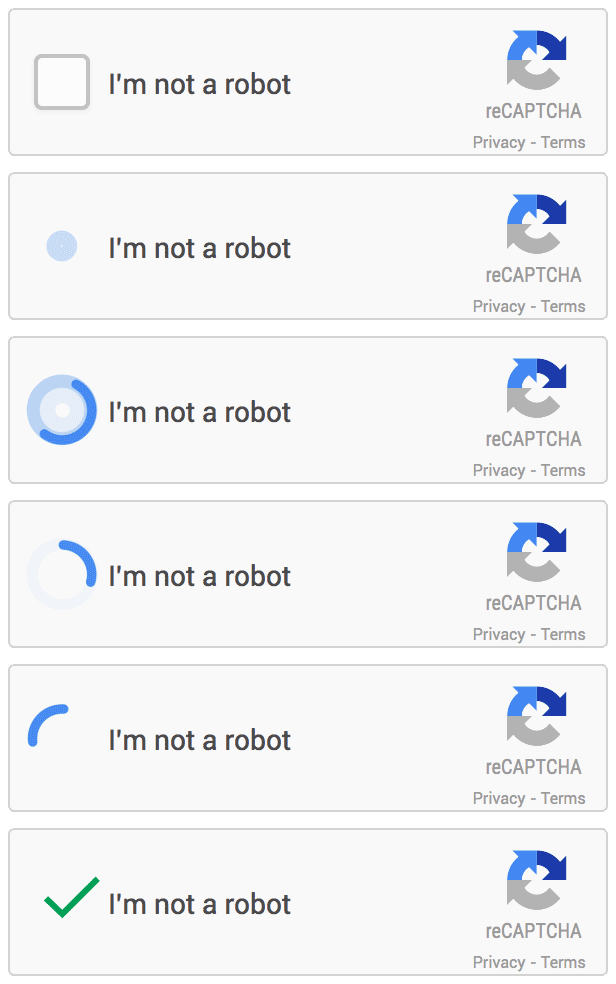
Khi nhấn vào link tải bất kỳ thì bạn nhấn vào ô:tôi không phải là robot
Sau đó có thể nó bắt bạn xác nhận ko phải là robot bằng 1 câu hỏi rất đơn giản
Chờ 3s và nhấn get link để download
1.Laban key Mod Dota 2-Lina by Nhiên Nguyễn
http://www.oni.vn/gTbVd
2.Laban key Mod Dota 2-Puck by Nhiên Nguyễn
http://www.oni.vn/BPOAW
3.Theme Barca by Nhiên Nguyễn-do khách đặt
http://www.oni.vn/3bORW
4.Theme Dota 2 Nevermore by Nhiên Nguyễn
http://www.oni.vn/17iaX
5.Theme Barca 2 by Nhiên Nguyễn
http://www.oni.vn/7VMMj
6.Theme Chelsea by Nhiên Nguyễn
http://www.oni.vn/CfnDh
6.Theme Hazard Eden
http://www.oni.vn/V5Ied
Liên hệ để đặt theme MIỄN PHÍ
facebook.com/annhienkt hoặc facebook.com/vocandroid
Hướng dẫn qua youtube:goo.gl/GDE4cZ
Decompile Framework-res.apk
- mở res/value/dimens.xml
đổi giá trị :
<dimen name="thumbnail_height">160.0dip</dimen>
<dimen name="thumbnail_width">240.0dip</dimen>
- save
- Recompile framework-res
Step 2
- Decompile SystemUI.apk
- chép file có sẵn vào đúng vị trí
- mở res/value/strings.xml
thêm :
<string name="service_background_processes">%1$s free</string>
<string name="service_foreground_processes">%1$s used</string>
trên dòng </Reseorces>
- mở res/value/colors.xml
thêm :
<color name="green">#ff00ff32</color>
trên dòng </Reseorces>
- mở res/value/dimens.xml
đổi giá trị :
<dimen name="status_bar_recents_thumbnail_width">180.0dip</dimen>
<dimen name="status_bar_recents_thumbnail_height">145.0dip</dimen>
- mở res/layout/status_bar_no_recent_ap.xml
tìm và xóa :
<TextView android:textSize="20.0dip" android:textColor="@*android:color/holo_blue_light" android:gravity="center_horizontal" android:layout_gravity="center" android:id="@id/recents_no_apps_text" android:layout_width="wrap_content" android:layout_height="wrap_content" android:text="@string/status_bar_no_recent_apps" />
thay bằng :
<TextView android:textSize="20.0dip" android:textColor="@color/green" android:gravity="center_horizontal" android:layout_gravity="center" android:id="@id/recents_no_apps_text" android:layout_width="wrap_content" android:layout_height="wrap_content" android:drawableTop="@drawable/dhenz_i" android:text="@string/status_bar_no_recent_apps" />
- mở res/layout (layout-port)/status_bar_recent_item.xml
tìm và xóa :
<RelativeLayout android:layout_gravity="center_horizontal" android:id="@id/recent_item" android:clipChildren="false" android:layout_width="wrap_content" android:layout_height="wrap_content">
<TextView android:textSize="@dimen/status_bar_recents_app_label_text_size" android:textColor="@color/status_bar_recents_app_label_color" android:ellipsize="marquee" android:id="@id/app_label" android:paddingTop="2.0dip" android:fadingEdge="horizontal" android:fadingEdgeLength="@dimen/status_bar_recents_text_fading_edge_length" android:layout_width="@dimen/status_bar_recents_app_label_width" android:layout_height="wrap_content" android:layout_marginLeft="@dimen/status_bar_recents_app_label_left_margin" android:scrollHorizontally="true" android:singleLine="true" android:layout_alignTop="@id/app_icon" android:layout_alignParentLeft="true" android:importantForAccessibility="no" />
<FrameLayout android:id="@id/app_thumbnail" android:background="#00000000" android:visibility="invisible" android:layout_width="wrap_content" android:layout_height="wrap_content" android:layout_marginLeft="@dimen/status_bar_recents_thumbnail_left_margin" android:foreground="@drawable/recents_thumbnail_fg" android:layout_toRightOf="@id/app_label" android:layout_alignParentTop="true">
thay bằng :
<View android:id="@id/recents_callout_line" android:background="@drawable/recents_callout_line" android:layout_width="@dimen/status_bar_recents_app_label_width" android:layout_height="0.0dip" android:layout_marginLeft="@dimen/status_bar_recents_app_label_left_margin" android:layout_marginTop="3.0dip" android:layout_marginRight="3.0dip" android:layout_toLeftOf="@id/app_thumbnail" android:layout_below="@id/app_label" android:layout_alignParentLeft="true" />
<ImageView android:id="@id/app_icon" android:visibility="invisible" android:layout_width="wrap_content" android:layout_height="wrap_content" android:layout_marginLeft="-40.0dip" android:layout_marginTop="40.0dip" android:scaleType="centerInside" android:adjustViewBounds="true" android:maxWidth="@dimen/status_bar_recents_app_icon_max_width" android:maxHeight="@dimen/status_bar_recents_app_icon_max_height" android:layout_toRightOf="@id/anim_rec" />
- mở res/layout (layout-port)/status_bar_recent_panel.xml
tìm và xóa :
<com.android.systemui.recent.RecentsPanelView android:id="@id/recents_root" android:layout_width="fill_parent" android:layout_height="fill_parent" systemui:recentItemLayout="@layout/status_bar_recent_item"
thay bằng :
<com.android.systemui.recent.RecentsPanelView android:id="@id/recents_root" android:background="@drawable/dhenz_recent_bg_port" android:layout_width="fill_parent" android:layout_height="fill_parent" systemui:recentItemLayout="@layout/status_bar_recent_item"
tìm và xóa :
<com.android.systemui.recent.RecentsVerticalScrollView android:layout_gravity="bottom|left|center" android:id="@id/recents_container" android:scrollbars="none" android:fadingEdge="vertical" android:fadingEdgeLength="@dimen/status_bar_recents_scroll_fading_edge_length" android:clipChildren="false" android:clipToPadding="false" android:layout_width="fill_parent" android:layout_height="wrap_content" android:layout_marginRight="0.0dip" android:stackFromBottom="true" android:divider="@null">
<LinearLayout android:orientation="vertical" android:id="@id/recents_linear_layout" android:clipChildren="false" android:clipToPadding="false" android:layout_width="fill_parent" android:layout_height="wrap_content" />
</com.android.systemui.recent.RecentsVerticalScrollView>
thay bằng :
<com.android.systemui.recent.RecentsVerticalScrollView android:layout_gravity="bottom|left|center" android:id="@id/recents_container" android:scrollbars="none" android:fadingEdge="vertical" android:fadingEdgeLength="@dimen/status_bar_recents_scroll_fading_edge_length" android:clipChildren="false" android:clipToPadding="false" android:layout_width="fill_parent" android:layout_height="wrap_content" android:layout_marginRight="0.0dip" android:layout_marginBottom="31.0dip" android:stackFromBottom="true" android:divider="@null">
<LinearLayout android:orientation="vertical" android:id="@id/recents_linear_layout" android:clipChildren="false" android:clipToPadding="false" android:layout_width="fill_parent" android:layout_height="wrap_content" />
</com.android.systemui.recent.RecentsVerticalScrollView>
<LinearLayout android:layout_gravity="bottom|right|center" android:orientation="horizontal" android:layout_width="fill_parent" android:layout_height="wrap_content" android:layout_marginLeft="10.0dip" android:layout_marginRight="10.0dip" android:layout_marginBottom="1.0dip" android:stackFromBottom="true" android:layout_weight="1.0">
<in.panic.xperience.aokpram android:layout_width="fill_parent" android:layout_height="30.0dip" />
</LinearLayout>
- save
- Recompile SystemUI
Thanhf quả nè tèn ten ten ten
Nguồn:xda
Đc share bởi 1 Bạn trên fb
Mod] Crazy navigagion bar by nhiên
đây là bản mod thanh navi bar(ở dưới) của mình dựa trên xposed lollipop bar
vì nhìn hơi củ chuối nên đặt là crazy nav bar :D
yêu cầu:
có xposed framework mới nhất
cái này search google hộ :3
down về và cài app này
sau đó vô xposed->module->tick vô crazy nav bar->reboot-> tèn ten ten ten
Lưu ý:một số máy ko có sẵn nav bar thì mở app vừa cài,copy đoạn mã dưới củng rồi xài root explore paste vô build.prop rồi save,reboot
###$$$sẽ đẹp hơn với máy nào đã mod thanh nav bar troq suốt rồi(ở systemui/xml/navigation_bar.xml
.png)